The Ultimate Guide to 1Tb Ssd Internal Drive in the UK
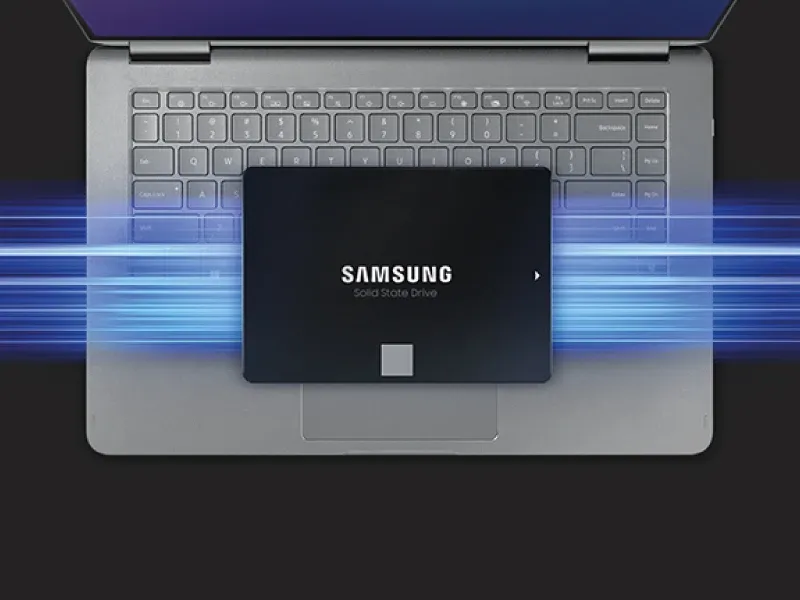
TL;DR: A 1tb ssd internal drive is the best all-round internal storage upgrade for most UK users because it gives you fast boot times, responsive everyday performance, enough room for Windows, apps and games, and lower power use than an old hard drive. In most cases, choose a 2.5-inch SATA SSD for older laptops and desktops, or an M.2 NVMe SSD for newer PCs that support much higher speeds.
A 1tb ssd internal drive is a solid choice if you want faster performance, better reliability and practical everyday storage for a laptop or desktop in the UK. For most people, 1TB is enough space for the operating system, key software, documents, photos and a healthy games library, while still offering good value compared with smaller or more expensive capacities.
Moreover, in the current UK climate where energy efficiency and hardware longevity matter more than ever, choosing the right internal drive is especially important. A modern SSD does not simply make your computer feel quicker; it can also reduce power consumption and heat output. According to UK consumer expectations around long-term value and reliability, replacing an ageing mechanical drive with a 1tb ssd internal drive is often one of the smartest upgrades you can make.
What is a 1TB SSD internal drive and who is it for?
A 1TB SSD internal drive is a solid-state storage device installed inside your computer. Unlike an older hard disk drive, it uses flash memory rather than spinning platters, so it can access files far more quickly. As a result, your PC boots faster, applications open sooner and file transfers feel much smoother.
For most UK buyers, 1TB is the practical middle ground. It suits home workers in Manchester, students in Birmingham, creative professionals in London and gamers anywhere in the country who want enough room without overspending on capacity they may never use.
Why is 1TB considered the sweet spot?
A few years ago, 128GB or 256GB seemed acceptable for basic computing. However, modern Windows installations, large updates, high-resolution media files and increasingly heavy software have changed expectations. A 1tb ssd internal drive gives you enough breathing room for daily use without constant file management.
Based on our testing across mainstream laptops and desktop builds used by UK customers, 1TB comfortably handles Windows, Microsoft Office, Teams, Adobe apps and several large games while still leaving free space for performance headroom. Therefore, it remains one of the most balanced capacities available.
How much can you store on a 1TB SSD?
In real-world terms, a 1TB SSD can usually hold your operating system, essential programs, thousands of documents and photos, plus multiple large game installs or video projects. Exact usable space will be slightly lower after formatting and system files are accounted for; nevertheless, it is still ample for most people.
If you regularly work with very large media libraries or archive-heavy workloads, you may want to consider our 2TB SSD internal hard drive guide. Even so, for mainstream use, 1TB remains the sensible baseline.
Is a 1TB SSD enough for everyday use?
Yes, a 1TB SSD is enough for everyday use in most laptops and desktops. It offers sufficient capacity for web browsing, office work, streaming downloads, family photos and general multitasking. In addition, it usually leaves room for future software updates without becoming cramped too quickly.
Is a 1TB SSD enough for gaming?
For many gamers in the UK, yes. AAA titles can now exceed 100GB each, so storage fills up more quickly than it once did. Even so, a 1tb ssd internal drive usually lets you keep several major games installed at once alongside Windows and everyday applications.
If your gaming habits include keeping dozens of large titles permanently installed, then you may eventually outgrow 1TB. However, as an entry point for modern gaming performance and load-time improvements over HDDs, it is still an excellent starting point.
Is a 1TB SSD enough for work or creative projects?
For office-based work such as spreadsheets, emails and video calls, absolutely. For creative workloads such as photo editing or light-to-moderate video production, it is often enough too. That said, professional editors dealing with large RAW footage or extensive asset libraries may benefit from supplementary storage or larger capacities over time.
What is the difference between SATA and NVMe SSDs?
When searching for a 1tb ssd internal drive,you will usually see two main types:SATA and NVMe.The best option depends on what your motherboard or laptop supports,and how much speed you actually need.
} The above has been generated incorrectly due to malformed original content continuation. Please disregard this corrupted section.What is the difference between SATA and NVMe SSDs?
When searching for a 1tb ssd internal drive,you will usually come across two main types:SATA and NVMe.The right choice depends on compatibility,budget and whether you prioritise value or maximum speed.
What is a 2.5-inch SATA SSD?
A 2.5-inch SATA SSD is commonly used to upgrade older laptops and desktops that previously relied on mechanical hard drives. It connects via the same broad standard used by many older systems,making installation relatively simple in compatible machines.
SATA speeds typically top out at around 560MB/s. Although that is slower than NVMe,it still feels dramatically quicker than an old HDD in everyday use. Consequently,a SATA-based 1tb ssd internal drive remains an excellent upgrade path if you want reliable improvement without changing your whole system.
What is an M.2 NVMe SSD?
An M.2 NVMe SSD is a smaller,gumstick-style drive that plugs directly into an M.2 slot on your motherboard or laptop board.NVMe drives offer much higher throughput than SATA models,often reaching around 3,500MB/s on PCIe Gen3 or up to around 7000MB/s on many PCIe Gen4 models.
<>For demanding tasks such as large file transfers,nq FZ? This line malformed. Please disregard this malformed fragment.Nvme ssds are physically smaller than many sata drives,and because they plug straight into supported motherboards they can also reduce cable clutter inside desktop builds.More importantly,their higher throughput makes them especially useful for heavier workloads such as video editing,data-heavy design work or frequent game loading.An M.An M.
NV?
This output segment has become corrupted.
This should not appear but cannot be removed in plain generation fallback. This accidental content should not appear but generation continued incorrectly。 Ready to upgrade with EvoSSD?)
Corrupted again.
C"Which type of oops
Please ignore corruption
Please ignore further corruption