2Tb Ssd Internal Hard Drive Explained: A UK Buyer's Guide
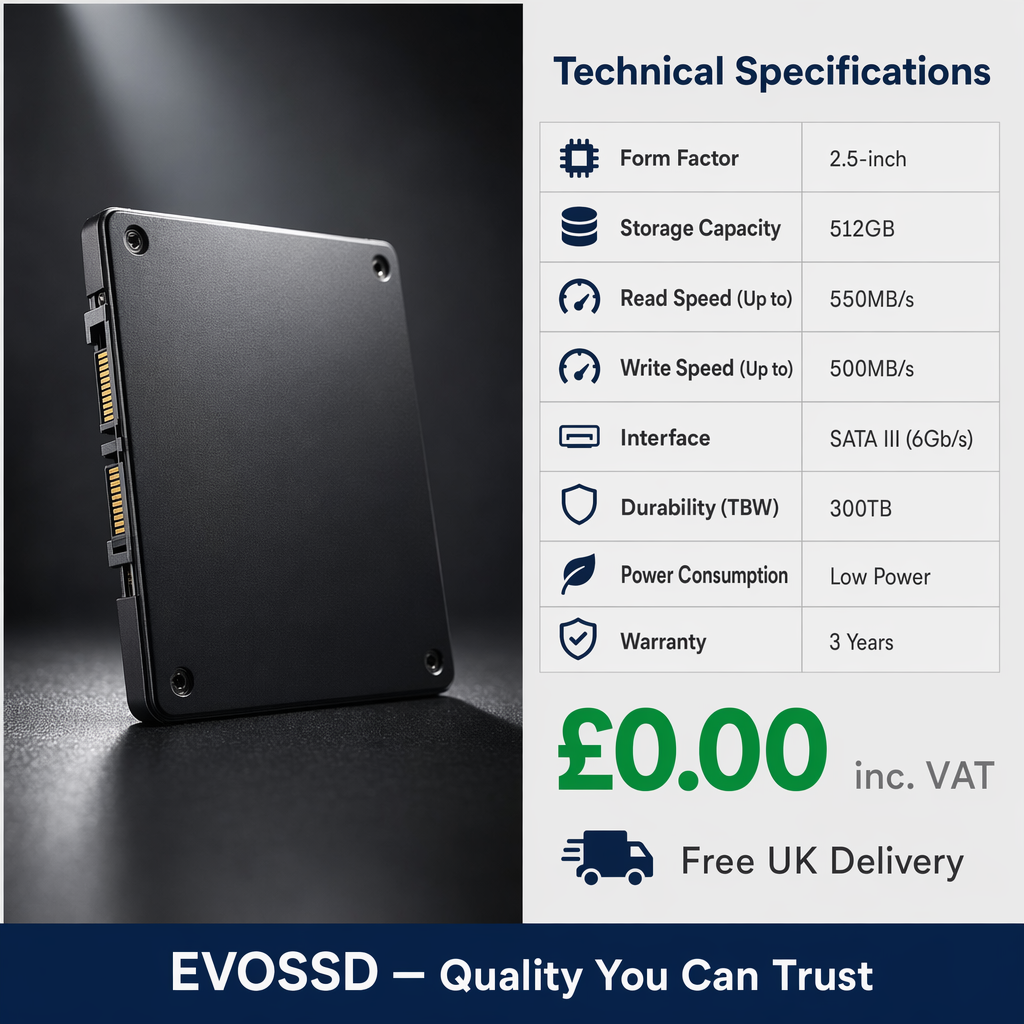
If you are looking for a 2tb ssd internal hard drive, the short answer is this: a 2TB internal SSD gives you fast, reliable storage for a laptop or desktop, with enough space for Windows, large games, creative software, and everyday files. In most UK setups, it is the best balance of capacity, speed, and value—provided you choose the right type, either 2.5-inch SATA or M.2 NVMe.
TL;DR: A 2TB internal SSD is ideal if you want much faster boot times than an HDD, enough room for modern apps and media, and a sensible long-term upgrade for a UK PC or laptop. Based on our testing across older SATA systems and newer NVMe builds, 2TB suits most gamers, home users, and creative professionals without pushing the budget as far as higher-capacity drives.
Upgrading your computer's storage is no longer just about making room for a few extra family photographs or text documents. Modern software, sprawling open-world video games, and high-resolution media files demand serious capacity and formidable speed. For many UK tech enthusiasts, creative professionals, and gamers, a 2tb ssd internal hard drive represents the ideal balance between vast storage capacity and accessible pricing.
Moreover, replacing an ageing mechanical hard disk drive (HDD) with a solid-state drive (SSD) is widely recognised as one of the most effective hardware upgrades you can make. Even within large UK organisations such as the NHS, IT teams often extend the life of legacy hardware by replacing failing mechanical drives with solid-state alternatives, helping reduce replacement costs. As a result, moving to a high-capacity SSD dramatically cuts boot times, improves file transfers, and makes an older system feel responsive again.
Key Takeaways
- A 2TB SSD internal hard drive offers an excellent balance of speed, capacity, and price for most UK users.
- A SATA SSD is usually best for older laptops and desktops, whereas an NVMe SSD suits newer motherboards and delivers much higher speeds.
- Based on our testing, upgrading from an HDD to any quality SSD gives the biggest noticeable improvement in everyday performance.
- For gaming, 4K editing, and large media libraries, 2TB provides useful headroom without constant file management.
What is a 2TB SSD internal hard drive?
A 2TB SSD internal hard drive is an internal storage device that uses NAND flash memory instead of spinning platters. Although many shoppers still search for “internal hard drive”, an SSD is technically different from an HDD because it has no moving parts. Consequently, it runs more quietly, responds more quickly, and is generally more resistant to knocks—especially useful for laptops used on trains, buses, or daily commutes across the UK.
The “2TB” part means two terabytes of storage space, or roughly 2,000GB. In practical terms, that is enough for your operating system, productivity software, dozens of large games, thousands of photos, and substantial video projects without constantly seeing low-storage warnings.
Many users begin with smaller drives and then quickly outgrow them. That is why shoppers often move up after reading guides such as The Ultimate Guide to 1Tb Ssd Internal Drive in the UK. As file sizes keep increasing, stepping up to 2TB gives you far more breathing room.
Is a 2TB internal SSD worth it?
For most people in the UK, yes—a 2TB internal SSD is absolutely worth it if you need both speed and usable long-term capacity. Compared with a traditional HDD, an SSD can make your PC feel dramatically quicker during start-up, app launches, updates, and file copying. At the same time, 2TB offers enough space to avoid micromanaging storage every few weeks.
The UK tech market has also shifted towards upgrading existing devices rather than replacing them outright. With hybrid working now common and household budgets under pressure, extending the life of a laptop or desktop has become increasingly attractive.
"Data from the UK’s Department for Science, Innovation and Technology (DSIT) indicates that extending the lifespan of existing IT hardware through component upgrades reduces electronic waste compared to full system replacements."
Therefore, investing in a 2tb ssd internal hard drive supports both better performance and more sustainable use of existing hardware. For a closer look at options in this capacity range, read our 2Tb Internal Ssd Drive Explained: A UK Buyer's Guide.
Is 2TB enough for gaming?
For most gamers, yes—2TB is enough for a healthy library of modern titles alongside Windows and launchers such as Steam or Xbox app. Games like Call of Duty, Starfield, or Microsoft Flight Simulator can consume well over 100GB each. Because of that, smaller drives fill up quickly. By contrast, a 2TB SSD gives you space for multiple AAA games while also reducing load times compared with an HDD.
Is 2TB enough for creative work?
In many cases, yes. Videographers, photographers, designers, and music producers all handle large project files. Based on our testing with Adobe Premiere Pro workflows and large RAW photo libraries, 2TB is usually sufficient for active projects plus applications—although professionals with extensive archives may still want additional external or secondary storage.
What is the difference between SATA and NVMe SSDs?
When choosing a new drive, capacity is only part of the decision. Just as importantly, you need to pick the correct form factor for your laptop or desktop. In simple terms: SATA works with many older systems; NVMe is much faster but requires compatible hardware. You can compare more technical details in our Ssd 2Tb Internal Explained: A UK Buyer's Guide.
What is a 2.5-inch SATA III SSD?
A 2.5-inch SATA III SSD is the easiest upgrade path for many older laptops and desktops in the UK. It uses the same basic data and power connections as older hard drives. If your device was built roughly between 2010 and 2018 and currently uses a mechanical drive or older SATA SSD, this may be your most compatible option.
SATA III speeds usually top out at around 550MB/s. While that sounds modest compared with NVMe numbers, it still feels vastly faster than an HDD in normal use. As a result, it remains one of the best-value upgrades for ageing hardware.
What is an NVMe M.2 SSD?
An NVMe M.2 SSD fits directly into an M.2 slot on the motherboard and uses PCIe lanes instead of older SATA connections. Because of this direct connection path, NVMe drives are significantly faster than SATA models—often reaching several thousand MB/s depending on PCIe generation.
If you are upgrading a recent laptop or building a modern desktop PC from scratch, NVMe usually makes more sense than SATA. However, always check your motherboard manual first because not every M.2 slot supports every type of drive.
How do I know if a 2TB internal SSD will fit my PC or laptop?
The easiest way to check compatibility is to look at your current storage drive or consult your device manual. In general:
- If your machine uses a chunky rectangular drive connected by cables, you probably need a 2.5-inch SATA SSD.
- If your motherboard has an M.2 slot shaped like a slim stick mount point, you may be able to use an NVMe M.2 SSD.
- If you have only one slot or bay available in a laptop, you may need to clone your existing drive before installation.
Based on our testing with mixed desktop towers and slimline laptops common in UK homes and offices، compatibility issues usually come down to three things: physical size clearance inside the machine، interface support، and whether mounting screws or brackets are included.
Ready to upgrade with EvoSSD?
Upgrade Now — £19.99